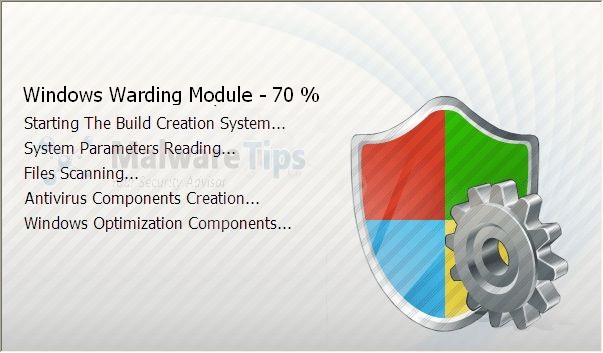
Windows Warning Module is a rogue program that comes from the Rogue.FakeVimes of computer viruses. This program is not a real antivirus software but pretends like it is, simultaneously infecting your computer and asking for payment in order to remove it. Don’t trust it! Windows Warning Module will display fake scan results and false security warning and attempt to scare you into purchasing it. The virus can also steal sensitive data from your computer. Remove it immediately.
XP Antivirus 2012 is a rogue program that comes from the Rogue.FakeVimes family of computer viruses. This program is not a real antivirus software but pretends like it is, simultaneously infecting your computer and asking for payment in order to remove it. Don’t trust it! XP Antivirus 2012 will display fake scan results and false security warning and attempt to scare you into purchasing it. The virus can also steal sensitive data from your computer. Remove it immediately.
Nowadays, surfing the Internet is getting to be risky business. Not that it isn’t easy to do with a web browser – just type a URL and click or just go to Google to look up what you’re looking for. The risky part about it is that it’s becoming increasingly dangerous for your computer’s well-being. This is because of the widespread presence of malware and rogue programs on the Internet. It can be hard to keep your system safe from being infected by pieces of rogue software. They’ve become increasingly clever through the years and you need to be a little smart in your dealings on the Internet to make sure everything goes smoothly for you.
As an example, let’s take a look at an example of what you can expect to see in today’s malware environment. The Think Point virus is a very clever piece of scareware. What it does is to pretend that it is part of a Microsoft Windows Essential Security Alert and you should install it. Of course, the first instinct is to click on the pop-up telling you to do so. However, that wasn’t a real pop-up. Once you click on it, this malware installs itself into your system and does various things to inconvenience you, like block program access and the Internet. This piece of malware will pretend that it has detected viruses that can only be cleaned using Think Point – a program that it’s selling. It’s a scam, pure and simple, and you’ll need to get rid of Think Point as quickly as possible. To learn the steps on how you can do this, just continue reading.
When you’re surfing the Internet, you’re often unaware of a lot of the hidden dangers that abound in cyberspace. The problem is that a lot of these dangers come in forms that an unsuspecting person would not be expecting. The most prevalent problem is the risk of being infected by a malware or some computer virus. These programs try their best to get into your computer’s defenses by masquerading as something else.
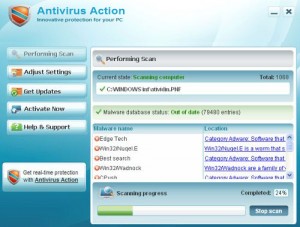
Take for example, Antivirus Action, one of the more virulent pieces of malware recently discovered. It enters a system by either pretending to be a video codec or through an online virus scanner. Then it starts to wreak havoc on your PC.
First of all, Antivirus Action bombards you with fake security alerts, advising you to buy the full version so as to remove the “infection”. These alerts are all fake and buying the full version will just lose you money.
But the biggest problem that Antivirus Action can do is that it can block all of your other real antivirus programs, disrupt your net connection, and worst of all, let other viruses in. This is why having this particular piece of malware on your system is a big problem and you should remove it immediately. To find out how to completely rid your system of Antivirus Action, read on.
When you’re surfing on the Internet nowadays, you need to be a bit wary. This is because of the many hidden dangers that can spell trouble for you and your computer. One of the foremost problems that you are probably going to encounter is malware. If you aren’t careful, these pieces of rogue software can sneak into your system and give you headaches until you manage to remove them.
A good example of the typical malware program nowadays is Antivirus IS. What it does is execute fake “virus” scans and send you fake “alerts” telling you that your computer is infected with a large amount of “viruses”. It then offers to clean all these “viruses” off of your PC, if you pay a simple fee of $90. You don’t need me to tell you that the price is exorbitant when you can easily check and see that legitimate antiviruses cost $50 at most.
However, that’s just the beginning – Antivirus IS will also stop other antivirus programs you have from working. This program will also hijack your browser and constantly send you messages that you’re browsing unsafely. It will also block you from any processes that will help you remove it from your system like the registry editor, task manager and system restore.
As you can see, this piece of scareware is definite troublemaker. To find out how to remove it from your system, you’ll have to read on.
Keeping your computer safe nowadays is very important. This is because a lot of important pieces of data can be found on our computers – we use it for work, for leisure and other things. That is why protecting our PCs safe from possible threats is a number one priority. The problem is that, with the fast pace of technology, the threats seem to be coming from everywhere.
The Internet, one of the biggest reasons that people use their computers, also happens to be the main culprit of these problems. Viruses and malware abound on the Internet, waiting for the unwary browser to stumble into them.
One of these pieces of rogue software is Antivirus Studio. To an unsuspecting user, this malware may look like a legitimate piece of antivirus software. However, the truth is Antivirus Studio is a piece of scareware that aims to frighten the owner of a system that his PC is hopelessly infected and he needs to pay $90 to clean the virus infection and for lifetime support.
This is a complete lie, though. What Antivirus Studio does is do fake virus scans to send out “alerts” that tell you your computer is hopelessly infested. It also hijacks your computer so that it can turn off your other antivirus programs and changes your Task Manager window to show supposedly “virus” processes. It also stops your net browsing by saying your Internet connection is not secure.
Antivirus Studio needs to be removed immediately and you need to be thorough; that way it won’t be able to come back. To find out how to do this, read on.
The Internet has become a large part of our daily life. What was once the province of tech geeks is now a regular source of information and entertainment for most parts of the world. This is a great thing since this can only mean great things in the future as information gets spread faster around the world.
The problem is, as to all things, there are good and bad points. The Internet has also become the greatest source of possible threats to your computer. Malware can be found on a lot of sites on the Internet and if you’re not careful, you can be a victim of these pieces of rogue software.
A good example of this is the rogue anti-spyware program called Smart Engine. What this program does is make you doubt in the security of your computer. What it does is start showing popup advising you that your PC has been infected by Trojans – even though your other antivirus programs haven’t detected anything.
Smart Engine will then try to sell you its “full” version that will supposedly “clean” your system for $49.95. That’s just for the six-month subscription. The price gets higher for the one-year and lifetime subscription, $69.95 and $89.95 respectively.
Don’t believe it – it’s just a scam to scare you into buying their product! Smart Engine is the actual malware here and you need to get it out of your system fast. To find out how, read on.
Wireshark is a trusted name in network analysis. They have several tools that cater to this but they do not make antivirus software. So it should be quite obvious that Wireshark Antivirus is a fake application. If you’ve paid for the upgraded version of this program, go ahead and dispute the charges to have it reversed.
While this application might look legitimate from the outside, it does not do any real virus cleaning and scanning even once you’ve paid for its supposed upgrade. It also does a lot of tinkering with your system where the results can range from mildly annoying to downright dangerous. It changes the settings of your browser, shows advertisements and connects to the internet by itself. It also blocks lots of apps such that you won’t even be able to use Notepad while it is around.
Removing rogue malware like this can be tricky but fortunately there are tools specifically designed for this. You might be thinking of just sending your computer to a technician or worse, buy a new PC. It doesn’t have to go that far though. Take our advice and just follow our simple and easy guide so you can blast away this app for good.
When operating systems are upgraded, you can be sure that rogue software also get upgraded. Antivirus Vista 2010 is one such rogue antivirus, a clone of XP Internet Security 2010 but upgraded in version to keep up with the times. It still does the same malicious stuff on your computer though and it will constantly nag you to upgrade to it so that they can get your money and even your credit card details. Don’t be fooled, they won’t give you anything in return so beware!
A good antivirus system from reputable vendors should be able to stop this before you get infected. Most badware like this often pop up when you download infected files like codecs for fake movies that need you to download additional software to play them or free games offered by some shady forum sites.
If you feel like your computer is getting a bit slow, this rogue antivirus is likely the culprit and is trying to download even more malware into your system. You need to remove it right away or it will cause severe damage to your personal data, your operating system’s files and might even result in complete failure of your computer.
Antivirus Live has a lot of similarities with the dreaded Antivirus System Pro. First of it acts like a legitimate antivirus program yet is really a rogue virus. It also slips onto your system without you knowing, typically as either a browser hijacker or trojan virus. You typically don’t know it until it’s too late and the infection begins infiltrating through your system.
To make matters even worse, Antivirus Live will try to hijack your computer and corrupt the registry. This is the ultimate aim of viruses like Antivirus Live - to make things so bad that you will be desperate enough to buy the first antivirus program that comes along.
Now, assuming it has succeeded in hijacking your system, the first antivirus you’ll naturally end up seeing is Antivirus Live. You’ll be bombarded with pop-ups and alerts warning of malware threats and advising you to purchase the full-version of Antivirus Live.
And unfortunately it also seeks to destroy your computer and corrupt the registry. This is the ultimate aim of viruses like Antivirus Live, to make things so bad that you will be desperate enough to buy the program. But the program is a scam and they will compromise your credit card information if given it. You don’t need me to tell you to remove Antivirus Live as soon as possible.




 When operating systems are upgraded, you can be sure that rogue software also get upgraded. Antivirus Vista 2010 is one such rogue antivirus, a clone of XP Internet Security 2010 but upgraded in version to keep up with the times. It still does the same malicious stuff on your computer though and it will constantly nag you to upgrade to it so that they can get your money and even your credit card details. Don’t be fooled, they won’t give you anything in return so beware!
