Virtumonde Fix - In Need of a Virtumonde Fix?

Posted by jm | Spyware Removal | Monday 10 November 2008 12:20 am

Virtumonde Fix

Virtumonde or vundo is a virus that will attach adware and spyware programs onto your system. This may cause fake warnings that your computer is infected with spyware. It is VERY important to ignore these warnings. These are rogue programs that do not fix virtumonde and simply charge you money while infecting your computer further. To perform a virtumonde fix you have a couple of alternatives.

How did your computer get infected with the virtumonde trojan virus? Frequently the program will penetrate your computer through a system gap in Java Runtime Environment. You may start seeing pop up advertisements for AntiSpyware Master, WinFixer, Storage Protector, and Sysprotect.

The trojan attaches itself to DLL files with Winlogon and Explorer.exe. This will cause your browser to become hijacked and prevent your computer from rebooting. The presence of the malware will cause a noticeable sluggishness in your computer.

So I am sure by now you are wondering how to remove virtumonde. The virtumonde virus is very difficult to remove without help. If not completely eliminated at once it just restores itself back again. The only way to remove it is to delete all components instantaneously. This is a very difficult task to do all alone. To add insult to injury, virtumonde disguises itself in random folders making it hard to track. It’s no surprise this virus is one of the infamous security threats internet users face today!

In order to remove the virus you need a specialized virtumonde removal tool. I have a website that examines some of the best anti virus and spyware removers on the internet today. If you suspect a Virtumonde infection then scan your computer for free to find out.
Virtumonde Fix

Warning Spyware Detected

Posted by jm | Spyware Removal | Monday 20 October 2008 10:05 pm

Are you getting the message “Warning spyware detected”? If you have you are amongst a legion of others. The warning spyware detected message seems to be one of the most notorious error messages on the internet. They usually come in two different forms:

1. Legitimate Windows warning that your CPU has detected spyware

2. A fake “false positive” warning created by a rogue anti spyware program.

If I were to take an estimate I would guess that about 95% of Windows has detected spyware infection messages are similar to option 2. They are fake messages intended frighten the person into buying a specific counterfeit spyware remover that will infect them further, steal private confidential information, and extort money out of the unsuspecting user.

A counterfeit spyware remover is a form of spyware that disguises itself as an antispyware eliminator. The spyware gets on to your computer through security holes in your browser, P2P file sharing, or shareware that come with bundled spyware. Your desktop appears with a spyware warning or you may see the joke blue screen. If you fall for the trap then do not panic. While your computer is at serious risk all is not lost if you do the right thing. You must take steps to remove the infections BEFORE they cause fatal errors and put your identity at risk.

Spyware removal is not as simple as uninstalling the nasty program. In the Web 2.0 world, spyware, malware, and viruses have gotten very sneaky at how they infect computers. They typically attack multiple folders and disguise themselves in your Windows registry and system processes. Unless you are a computer expert, you will need help to completely eliminate spyware from your computer.

Fortunately there are a select few programs that can kill all spyware infections and provide real time protection. My website tests and reviews some of the most popular antispyware software. Have a look and free yourself of the pesky warning spyware detected message right now!

Scan your computer for free and remove the warning spyware detected message at Spyware Fix.

Remove XP Antivirus

Posted by jm | Spyware Removal | Sunday 31 August 2008 4:48 am
XP Antivirus

XP Antivirus

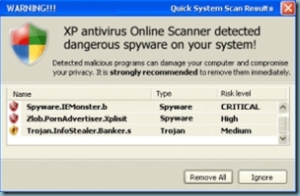
XP Antivirus is NOT an antivirus removal program. It is actually rogue spyware designed to frighten the user into downloading the software. Once downloaded the software will alter registry files, steal private information, and attempt to scam you out of money. These are the common files associated with XP Antivirus that must be removed:


Processes

program_files%\xpantivirus\xpantivirusupdate.exe
xpantivirus.exe
download.exe
program_files\xpantivirus\sysbackup\ntoskrnl.exe
install_xp.exe
program_files\xpantivirus\sysbackup\ntoskrnl.exe.md5
program_files\xpantivirus\sysbackup\explorer.exe.md5
program_files\xpantivirus\unins000.exe
xpantivirusupdate.exe
program_files\xpantivirus\sysbackup\explorer.exe
program_files\xpantivirus\unins000.exe
install_xp.exe
program_files\xpantivirus\xpantivirusupdate.exe
program_files\xpantivirus\sysbackup\ntoskrnl.exe
program_files\xpantivirus\sysbackup\explorer.exe
program_files\xpantivirus\xpantivirus.exe

DLL Files

program_files\xpantivirus\sysbackup\wininet.dll
program_files\xpantivirus\sysbackup\shlwapi.dll.md5
program_files\xpantivirus\sysbackup\shlwapi.dll
program_files\xpantivirus\sysbackup\wininet.dll.md5
program_files\xpantivirus\sysbackup\wininet.dll
program_files\xpantivirus\sysbackup\shlwapi.dll

If you do not want to remove these files manually then simply scan your computer at the
Spyware Fix home page.