
Infections
Remove XP Security Tool
 If you haven’t realized it yet, that new anti-spyware program on your computer named XP Security Tool isn’t actually a security tool. It will redirect your browsing to sites that can infect you with more malware. It pesters you to update to a newer version for a fee. It also eats up system resources and sits on your memory, waiting for a chance to grab sensitive data.
Don’t even think of upgrading this software since it’s all a scam to get your money and financial information. It’s best your remove this software immediately before it runs amok in your computer trashing files, editing registry entries and disabling security software. Don’t get lax, you must erase this completely from your system before it deletes important files or worse, crashes your computer completely.
This is one of the nastiest malware out there since it doesn’t show up in virus scans on antimalware apps, disables other security features of your computer and can likely rebuild itself even if you remove it manually. Before you go ahead and reinstall Windows or ship off your computer to a shop, take a look below on how you can remove this malicious software and clean up your computer.
Posted under Fake Antispyware | No Comments
Remove XP Defender Pro
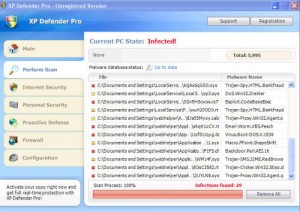 XP Defender Pro is one of the software you should avoid like the plague. It’s a fake anti-spyware app that will ruin your computer and the sensitive data within it. It starts like a regular security app but you’ll soon get irritated by its constant alerts on non-existent viruses or pop-ups forcing you to upgrade to a premium version. You’ll also experience a considerable slow down in the performance of your PC and might even find that your online accounts like webmail or Paypal have been compromised.
Don’t pay for any upgrades this applications asks from you. It won’t deliver a “full” version of the app or unlock any new, malware-cleaning features. On the contrary, the only thing this will unlock is a backdoor to your computer, letting all sorts of bad software in that can wreck your computer. The best course of action to take is to exterminate this pest of a program and clean out your computer of all its bugs.
One way is to reformat and reinstall Windows but we have a better solution. Read on and find out how you can delete this annoying and dangerous application from your computer.
Posted under Fake Antispyware | No Comments
Remove Win 7 Security
 Fake anti-spyware are everywhere these days. Win 7 Security is one of them, a clone of XP Security geared toward Windows 7 machines. You might think it is a legitimate spyware application since it scans your drive and alerts you of infections. Don’t get fooled! All those alerts are fake and rather than helping you, it harms your computer by letting in Trojans and worms into your system.
This badware will keep constantly using up system resources, slowing down your computer. It’s also dangerous since it will open up your computer to intrusions by hackers and thieves who are out to get personal and private information from you like your home address, business account numbers and social security details. Ignore this malware at your own risk!
Unlike other malware, the operation of Win 7 Security is out in the open and rather than hide in the shadows of your hard drive, it will constantly nag you with alerts and ask for you to pay them to upgrade. This is all a ruse, they will take your money and run and give nothing in return.
While this software might be out in the open, uninstalling it won’t work. Also, deleting the program, using Windows’ Add/Remove Programs tool and running another antivirus software will normally not remove this malignant application. It will even hijack your Internet Explorer browser so you cannot use it to find a cure. Fortunately, there is a simple way to fix this. Read below and find out how to finally get rid of Win 7 Security.
Posted under Fake Antispyware | No Comments
Remove Vista Defender Pro
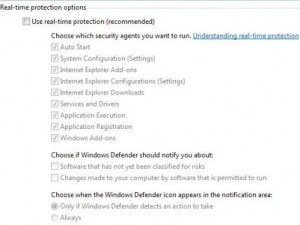 Does your computer seem slow when performing tasks today? Is there an annoying program constantly trying to scan your computer for viruses? Have you checked your free disk space and got a shock when you only had a few megabytes of storage left? These are just a few of the symptoms of an infection by a rogue anti-spyware app such as Vista Defender Pro.
Like other similar badware, Vista Defender Pro tries to gouge you by asking for a paid upgrade but delivering nothing in return. In fact, the only thing you can expect after paying for this fake software are more malware. And since you paid for the software, they know that you have valuable account information in your computer that they can siphon off you.
You might have gotten this malware unknowingly. A friend might have copied files from an infected flash drive. You might have inadvertently clicked on an ad you’re not supposed to. Or someone might have sent you an attachment that carried this software. What ever method it was, you can still fix your computer without resorting to reformatting or service fees. See our below solution to this problem.
Posted under Fake Antispyware | No Comments
Remove Cleanup Antivirus
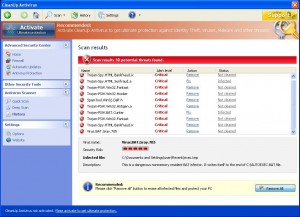 CleanUp Antivirus is the latest version of the rogue antispyware, Security Antivirus. It will constantly hound you with security alerts from your taskbar and even randomly redirect you to an alert webpage while you are surfing the Internet. It will also report that your system registry is infected with malware. Ignore all these alerts, they are all fake. They are there to force you to upgrade and pay for another version of their program, which is also fake.
Rogue software like this attempt to get you to pay for a better product, fooling you into getting software that will not help you but will only bring you more problems. In addition, if you do buy this product, they will steal your credit card details and possibly use it for evil purposes or sell it to other thieves. On the other hand, if you don’t pay for this but the badware is still in your computer, chances are your system can still be compromised and become infected by more serious infections.
Some of the other problems you might face if you have this malware in your system are frequent computer freeze ups, loss of free disk space, slow performance of other programs and sudden restarts of your PC. Get help immediately and clean up your computer!
Posted under Fake Antispyware | 3 Comments
Remove Antivirus 7
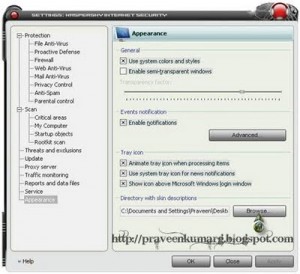 You’re sitting in front of your desk and suddenly a program alerts you that you have a virus infection. Upon closer inspection, you see that Antivirus 7 was the one that gave the alert, but you don’t remember installing that program. What should you do?
Antivirus 7 is one of several fake antivirus software out there today. You don’t remember installing it because you didn’t - it was deposited by a Trojan that infected your computer. Ignore any alerts that it shows you and remove it as soon as you can. Don’t let this malware destroy your computer!
Rogue antivirus programs often prompt you to upgrade to a paid version of their application to clean any detected viruses. Don’t buy it since they will not give you anything in return. They will only deliver more malware to your computer and grab all your saved passwords, credit card information and other personal details. Some will even ask for more money after they clean your computer.
You can prevent your computer from being exploited by applications like these by installing an antimalware program from a reliable vendor. You should also download files from trusted sites and visit only legitimate websites.
Posted under Fake Antispyware | 1 Comment
Remove Win 7 Guardian 2010
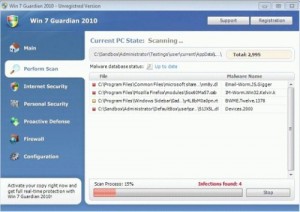 Win 7 Guardian 2010 is a fake anti-spyware application that silently installs itself through other malware infections. It will constantly flash a pop-up screen to show some fake system scan results and force you to purchase an upgrade to remove the viruses it supposedly finds.
You have to remove this rogue software immediately! It will start up every time you boot your computer. Additionally, it will change your security settings and registry to prevent you from removing it. If you do not clean your computer to get rid of this malware, it will leave your computer vulnerable to attacks and malicious hackers might use your computer for illegal and questionable activities.
If you think your computer has Win 7 Guardian 2010, ignore any alerts it might show which mimic Windows Security Center or Windows Task Manager announcements. These are all fake. Do not buy anything it offers to sell you since your credit card details might get stolen if you do so. Most importantly, choose a trusted antivirus to clean your computer and remove all traces of this fake software.
Posted under Fake Antispyware | No Comments
Remove Smart Security
 Some fake antivirus programs out there are stepping up their game, and you should too. Applications like Smart Security are wrecking havok on many computers and you should do your best to fight this malware. The mode of operation for this rogue app is to constantly show you popups and nag you into purchasing a fake upgrade to their software. Don’t fall for it!
Some symptoms that your computer might be affected by this badware are constant hang ups of you computer, frequent security alerts and lots of nag screens. Don’t worry, all these security threats are fake but it should not stop you from removing this malware immediately. Frequently, rogue applications like this leave your computer wide open to other attacks that can cripple and even destroy your system.
You should install some legitimate antivirus software as soon as you find out that you have this malware to prevent it from stealing your bank credentials, secure passwords and important data. Cleaning it is simple and easy if you know how but you need to do it quickly or more trojans, viruses and worms might be able to get into your computer.
Posted under Fake Antispyware | No Comments
Remove Antivirus Vista 2010
 When operating systems are upgraded, you can be sure that rogue software also get upgraded. Antivirus Vista 2010 is one such rogue antivirus, a clone of XP Internet Security 2010 but upgraded in version to keep up with the times. It still does the same malicious stuff on your computer though and it will constantly nag you to upgrade to it so that they can get your money and even your credit card details. Don’t be fooled, they won’t give you anything in return so beware!
A good antivirus system from reputable vendors should be able to stop this before you get infected. Most badware like this often pop up when you download infected files like codecs for fake movies that need you to download additional software to play them or free games offered by some shady forum sites.
If you feel like your computer is getting a bit slow, this rogue antivirus is likely the culprit and is trying to download even more malware into your system. You need to remove it right away or it will cause severe damage to your personal data, your operating system’s files and might even result in complete failure of your computer.
Posted under Fake Antispyware | No Comments
Remove Windows Enterprise Defender

If you have been infected with Windows Enterprise Defender then be very careful. The program cleverly disguises itself as a legitimate virus remover when in fact it is a virus itself! The program sneaks on your system typically through a trojan virus and then begins creating fake pop up alerts and slowing down your system.
You are correct in assuming you are infected but Windows Enterprise Defender is the one who is actually behind it. Be sure to remove the deadly program ASAP.
Posted under Fake Antispyware | No Comments
 Spyware Doctor
Brought to you by PC Tools, one of the most trusted names in spyware
View More




