Are you fond of downloading freebies like mp3 files, Flash player updates, video codecs, and device drivers from obscure websites? Then don’t be surprised if your system ends up with an Antivirus Suite infection. I can almost see the astonished look in your face. That’s right, there’s such a thing as an Antivirus Suite infection because that program is really classified as malware.
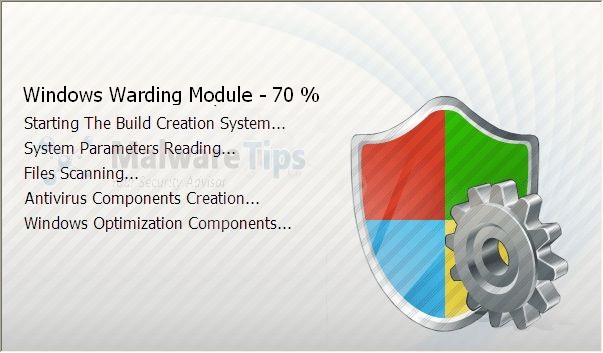
How so? Well, this bogus program is not really capable of detecting even the simplest malware. All those scans that it performs and all those pop-ups that it generates are fake. They’re just meant to scare you. Once it has accomplished that task, it will then entice you into purchasing its so-called “full version”.
Of course, even the “full version” is a useless piece of code. The only difference is that the “full version” will require you to spend money to install it into your computer. Thus, you should be alarmed once you see Antivirus Suite running in your computer. Don’t be deceived by all its fancy GUI that looks pretty much like a legit antivirus.
Since bogus antivirus programs like Antivirus Suite can be inadvertently downloaded through trojans, we strongly advice you to avoid downloading anything from obscure websites.
 Wondering why your newly installed antivirus, Your Protection, is asking you to uninstall other antivirus programs like Kaspersky and Avast? The reason is simple. It doesn’t want want to be known for what it really is … a treacherous, deceiving, fake antispyware.
So Your Protection is a scam? You bet it is. Just like other fake anti-spyware, Your Protection finds its way into your computer through trojans downloaded from malicious websites. That’s why we always discourage our readers from downloading anything from obscure sites. Most trojans are disguised as useful freebies that easily attract gullible users.
Your Protection hijacks computers by messing up the Windows system registry. It does this to have full control immediately after your next boot up. Once it’s inside, expect scans and popups that indicate the presence of rogue malware. Of course, all of these are fake; simply designed to scare you into purchasing a so-called full version.
The full version of Your Protection won’t do anything useful. Rather, all it will do is dupe you into spending your hard-earned money. Even worse, it will force you to reveal your credit card information, which by itself, is a dangerous practice altogether. Get rid of Your Protection while you still can.

Yet another malicious piece of software has hit the street. This time around it’s Vista Antimalware, a version of XP Antimalware and Win 7 Antimalware that targets PCs running Windows Vista. It might already be on your computer, annoying the heck out of you with its incessant pop-ups and virus alerts. This is one tough malware to crack since it sits in your system tray all day and won’t budge, constantly spewing fake virus announcements and nagging for you to upgrade to a paid version. We’ll say this up front right now: don’t pay for this software, it’s not real!
You may feel that your computer is slowing down even if you don’t have any programs running. Or your browser might be acting up, showing that certain sites have been infected with malware (courtesy of the Vista Antimalware alerts) when you’re just browsing to Google or YouTube. You might even find that some of your applications fail to start anymore. These are all signs that you need to clean up your computer, right away!
Before you go ahead and send your machine to a repair shop or reformat it yourself, there’s a simpler solution. Read on and find out.
- Pothi
- March 24, 2010
- Comments Off
Read More