
Remove A-Fast Antivirus
Posted on May 6, 2010 by SpywareFix
 Social engineering is a big part why parasitic malware spread so effectively. Take for example A-Fast Antivirus. If you’re not familiar with antivirus software, this might sound like a popular scanner and virus remover but it is just a sound-alike. It’s nothing like the famed and trusted Avast security software though.
Like all the usual suspects, if you find that one of these rogue antivirus programs have crept into your computer, remove it immediately. It will incessantly show pop-ups that make you buy the upgraded version of the software. It also creates fake infections in your computer as a scare tactic to get you to pay for it and does other more heinous stuff like stealing saved password, login details and personal information. Once this data is out there, hackers will be able to ravage your financials, social networks and reputation for schemes of their own.
Therefore, be aware of the applications you have in your computer. There might be malware lurking in there disguised as an antivirus app. It will block all the conventional methods of removing though so beware. It blocks legit antiviral programs, security features of your operating system and all the other usual program removers. Read below for the safe and easy fix to eliminate this problem.
Posted under Fake Antispyware | No Comments
Remove Desktop Security 2010
Posted on May 6, 2010 by SpywareFix
 Desktop Security 2010 is yet another addition to the roster of software you should blast out of your computer once it pops up. You see, this is a rogue anti-spyware application, a turncoat inside your system. It will gain your trust by offering free virus scanning and alerts for viruses that aren’t in your computer but after you pay for it, the fake software will take your money and run. What’s more, it will open up your computer to plundering viruses and Trojans.
It’s also a wily imp of a badware since it will shut off any of the common avenues of attack against it. It clamps down on Task Manager, disables security apps and blocks any attempt install new antivirus software. You’ll be held hostage by this software until you reboot in safe mode. It goes without saying that immediate removal is imperative to secure your data. Failure to do so will not only result in possible damage to the operating system and your PC hardware, it will also increase the chance of other bad software getting in your computer and hacking into your online accounts. If you believe that this malware is in your computer, just follow our instructions below to be rid of it once and for all.
Posted under Fake Antispyware | No Comments
Remove XP Security
Posted on May 6, 2010 by SpywareFix
 XP Security, also called XPSecurity, is one of the newly-active rogue anti-spyware people have noticed in the last few months. As with other software of this bent, its main goal is to get you to purchase the supposed paid version of this fake scanner application. It will throw up alerts that your disk is filled with bad viruses and redirect browsers to webpages with ads directing you to give up your credit card to pay for it. Don’t fall for it!
While sometimes it might end up that paying for this badware will do nothing more than dent your credit balance a bit. What you might not be sure of is where your credit details end up. It might get harvested into a credit card cloning scheme or be part of an identity theft ring. The safest route then is to just ignore all the fancy stuff it does to get you to pay for something that won’t give anything back.
Software like these often don’t come alone. It might have brought along with it other harmful software like keyloggers, backdoor openers and the like which are there to extract every valuable byte in your computer and turn it into cash one way or another. Hackers can sell your data, use your passwords to control your Facebook or Twitter accounts and they can even outright buy stuff using your eCommerce accounts.
Read on for a cure to this nefarious malware.
Posted under Fake Antispyware | No Comments
Remove Trust Doctor
Posted on April 27, 2010 by SpywareFix

There’s one doctor that you shouldn’t trust (and you should be glad he doesn’t practice medicine). Trust Doctor, also known as TrustDoctor, is a rogue anti-spyware that comes from installing infected video codecs. The modus here is that the target user downloads a video from the Web which needs a certain video codec to be viewed. When the user does find a solution and installs it then the Doctor is in, so to speak, and has successfully infiltrated your machine.
In addition to being carried by video codecs, it also creates fake virus-infected files that when scanned seem to be infected but are not. Deleting these files will not harm your computer but the fact remains that you have a malware on the loose that will strike with more infections. Not only that, it also detects the language of your computer and can display fake virus alert messages in German, Italian and French in addition to English, making it look all the more legitimate.
Do not let the polished user interface and seemingly urgent viral alerts fool you. This is not a real program and you definitely should not buy the paid version of this and you should also remove it right away. It may harbor more malware in your system other than itself which may cause more damage later on. Read further for more details on its removal.
Posted under Fake Antispyware | No Comments
Remove My Security Engine
Posted on April 27, 2010 by SpywareFix
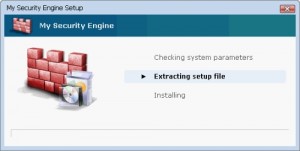 Rogue anti-spyware is everywhere these days and you need to be careful when it hits you. Take My Security Engine for example. This software is really a piece of work, squirming its way into your computer through malicious sites and infected downloads. Once it infects your PC, it will then show itself as some sort of security software that will protect you from malware threats, all the while shutting down your computer’s other security features and modifying your Windows hosts file.
The damage doesn’t stop there. This fake anti-spyware will also hijack your browser and redirect you to illicit ads to entice you to buy more infected software or a pay site where you can supposedly get an upgrade on My Security Engine for a fee. It also creates fake files in your computer that it will flag as potential threats and urge you to fix them, making you think that this software truly is legitimate.
Your immediate course of action should be to remove this malware from your software as quickly as possible. Once it get a hold of your personal information like social security number, bank details and password, there’s no knowing how and where these will end up. It is possible that the data stolen from you will be used in securing fake identities leaving you as the fall guy for criminals or they might just go direct to your savings account and grab all that is in there. Please go ahead and read our instructions on how to fix this problem swiftly before it does more harm to you.
Posted under Fake Antispyware | 5 Comments
Remove Antispyware Soft
Posted on April 20, 2010 by SpywareFix
 “Stop! You’re computer might be infected!” This is just one of the alerts that fake anti-spyware software like Antispyware Soft display to fool users. It constantly throws up notifications that your system has been infected or that your security is compromised. These are all not true and are there just to lure you into paying for an “upgrade” of the rogue software.
One thing that is dangerous about these malware is that they have access to your internet connection. It might be turning your computer into a zombie machine, making it part of a criminal network or computers called a botnet. It might be siphoning off data from your drive so that hackers can ride on your credit card and buy anything they want. It might be inviting viruses, Trojans and worms to take residence in your machine. Whatever it may be, the results are always bad for you, the common user.
Before you go out and send your computer to a technician or whip out your Windows DVD for a reinstall, there is a simple solution that you can perform that might just cure your computer. Read on ahead to find out more.
Posted under Fake Antispyware | 8 Comments
Remove Digital Protection
Posted on April 18, 2010 by SpywareFix

Digital Protection is one rogue anti-spyware you might want to watch out for. Like usual malware of this type, Digital Protection pretends to scan your computer for viruses and display false alerts that you have a virus in your computer. Some of the messages it spews out contain the phrases “Warning! Virus threat detected!” and “A security threat detected on your computer!”.
Don’t be fooled by the scheme of this malware! It will ask you to upgrade to a “paid” version, promising better protection if you do but delivering nothing once you’ve paid up. If you had paid for this software already, file a dispute claim with your credit card company immediately. This application needs to be removed immediately. Keeping it around might cause you to lose precious data from your computer that can be used by hackers and criminals for their own nefarious purposes.
One of the nasty features of this badware is that it drops shortcuts to several porn sites right on your desktop, something you wouldn’t want if you share your computer with children. Don’t worry though, it’s easy to fix this malware in just a few simple steps. Read on to find out more.
Posted under Fake Antispyware | No Comments
Remove XP Defense 2010
Posted on April 14, 2010 by SpywareFix

These days, you really shouldn’t scrimp on your anti-malware protection. Don’t just install any old antivirus from the Web. Either buy yours from a trusted and well-recommended source or take advantage of the free version of a popular and sturdy alternative until you can afford one. What happens if you don’t get a good antispyware? Someone will do it for you.
Take XP Defense 2010 for instance. It poses to be a program that will scan your drive for badware and let you clean them up for the price of an upgrade. Simple right? But don’t get fooled, this isn’t a legitimate anti-spyware app. All the things it does, from the alerts to the daily scanning, are just smoke and mirrors to get you to buy an upgraded version. What’s more is you don’t actually need to buy the upgrade. It’s all fake and won’t clean your computer as it supposedly would. If you did buy the paid version, just dispute it with your credit card company and report the merchant to the authorities.
Don’t let strangers in your computer and fix this problem with a simple step-by-step guide we provide below. As soon as your computer is fixed, go ahead and get a tried and tested antiviral scanner application and install it in your PC.
Posted under Fake Antispyware | No Comments
Remove Antivirus PC 2010
Posted on April 14, 2010 by SpywareFix

Let’s say you were quietly downloading some files on the Internet or surfing some sites. All of a sudden, you get a virus alert on your PC. Curiously, this doesn’t look like something you installed and it even has a link to purchasing a “full” version online. Hold on, don’t click that!
This is something that would happen if your computer was infected with Antivirus PC 2010. It’s a fake anti-spyware which promises to rid you of viruses (also fake) when you buy a “premium”, “upgraded” or “full” version of the product. It’s likely that it got into your system through an infected drive or website and installed itself unknown to you. It’s also very keen on staying on your computer, disabling your regular security features on your operating system.
It’s best to get rid of this as soon as possible. Not only will it steal a lot of your valuable information, it also opens up your computer to much more dangerous infections which can spread like wildfire onto other systems in your house or office. The best course of action is to use a legitimate malware removal program to safely remove this dreadful application without needing to lose any valuable files and data. Read on for more information.
Posted under Fake Antispyware | No Comments
Remove User Antivirus 2010
Posted on April 14, 2010 by SpywareFix
 One of the craziest notions for an antivirus app is to tout that it is “eco-friendly”. Though we highly doubt any virus scanner can solidly say that they can reduce you carbon footprint. But that is just User Antivirus 2010′s tactic, Care of Earth. Who new malware had to give their apps a PR spin?
But keep in mind, as earth-conscious as this rogue anti-spyware touts itself to be, it’s still just that - a rogue anti-spyware. It will nag you time and time again with annoying virus alerts for non-existent malware and it will constantly ask you to upgrade to a paid version. Ignore any of these and proceed immediately to removing this malware.
Don’t just keep it around “just in case”, you need to take proactive measures to fix it. Some of the problems you might encounter if you do not clean up are a general slowdown of your computer, crawling internet connections and failure of some of your programs to even launch. Other behind the scenes issues you might have but not directly encounter are corruption of the registry, deletion of certain important system files and disabling of essential background services.
So what you need to do now is get rid of this faux-green software by following our easy guide below. Read on for more details.
Posted under Fake Antispyware | No Comments





